
Overview
Planner: Transforming scheduling for growth and retention
Context
Our product integrates with PSAs like ConnectWise, Autotask, and Halo PSA. Scheduling is central to how MSPs operate: dispatchers assign tickets, and technicians plan their days around them. But Inbox lacked scheduling, forcing users back into PSA calendars. This gap left workflows incomplete and made scheduling a frequent source of hard blockers for our Growth team.
Problem
Without scheduling inside Inbox, prospects saw the product as incomplete—1 in 5 couldn’t adopt. Existing users had to leave Inbox to schedule any work, breaking flow and scattering the process across tools. The result: Thread's Growth team lost deals and user retention (workflow frustration) suffered.
Solution
The ability to "Plan" work within Thread. In just three months, we shipped a kanban-style scheduling tool that allowed dispatchers to assign work by day instead of rigid time slots. This matched how technicians actually worked while giving dispatchers the visibility and agility they lacked in PSA calendars.
Outcome
For the business
Planner eliminated scheduling as a sales blocker, reducing prospect objections from 20% to 0% and enabling the growth team to close deals that had previously stalled. Activation was strong: 64 of 152 partners scheduled 6,558 events in the first six months.
My Role
Lead Product Designer, Research
Duration
3 months
Our process
v1.0 Laying the foundation
This work was focused on delivering the first milestone: enabling bi-directional sync for PSA support tickets to appear and update in real time within Inbox.
User research & insights
We interviewed dispatchers and technicians across multiple partners. The most important finding was that scheduling meant very different things depending on the role
"I don't need to see every time entry. I just need to see who has time to take this on today."
—Dispatchers
"If I don't finish something, I just move it to tomorrow and throw it on at whatever time.”
—Technicians
Traditional PSA calendars forced every ticket into rigid time slots and cluttered the view with non-actionable time entries. For dispatchers, this made it hard to gauge who was actually available. For technicians, it didn’t reflect how they really worked; most tickets just needed to be done that day, not at a precise time.
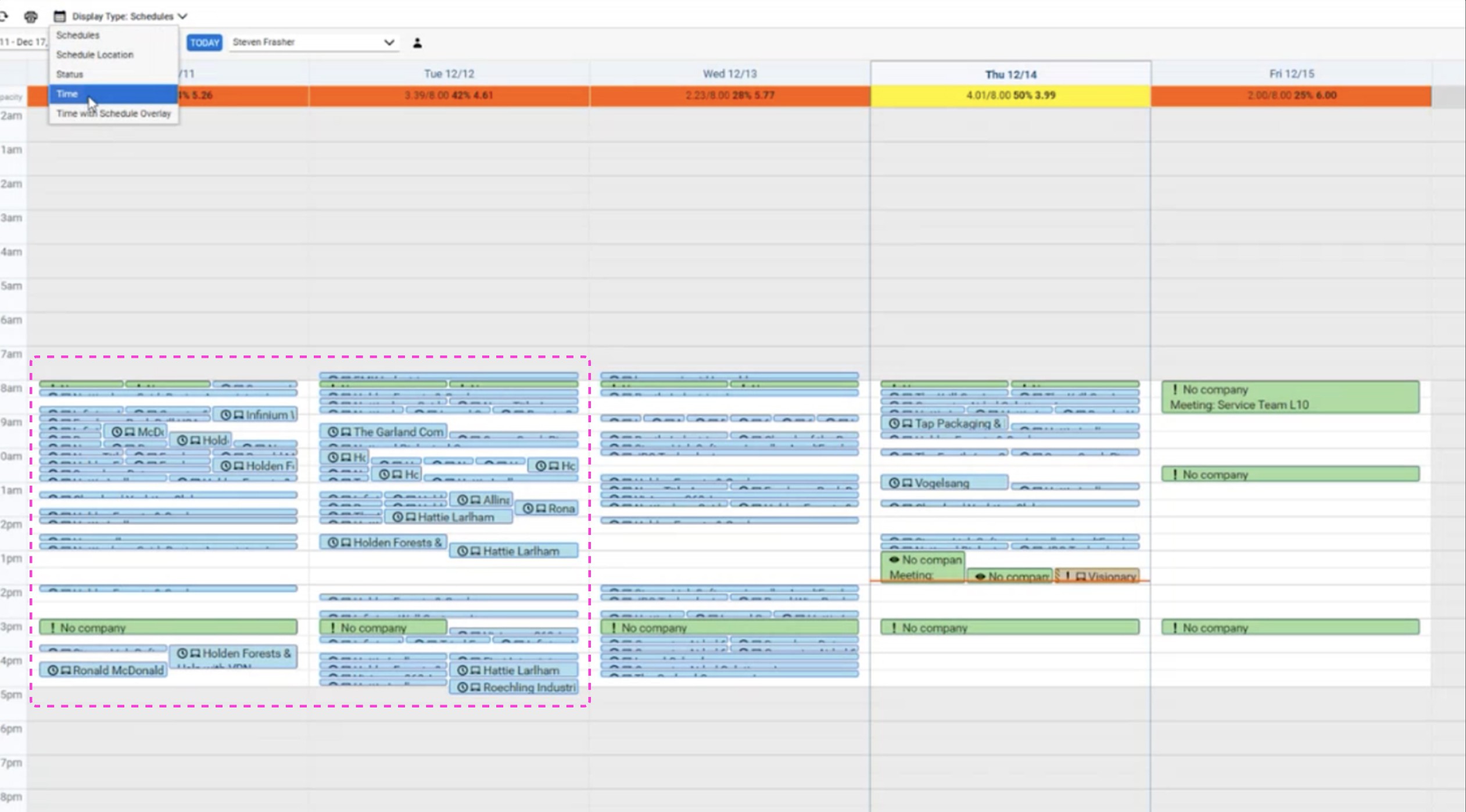
Time entries looked the same as real events — a 2:00 pm block might be a client meeting or just logged time. Dispatchers had to click into each one, slowing planning to a crawl.
These insights shaped our design hypothesis: Planner should center on day-based scheduling, with time as an optional detail, so the tool reflects how work actually happens instead of replicating PSA clutter.
Complex usability challenge
The hardest part wasn’t just building another calendar, it was designing a scheduling tool that dispatchers and technicians would actually use. PSA calendars are rigid, cluttered, and full of noise, so Planner had to feel intuitive out of the box.
Simpler than PSA calendars → avoid rigid time slots and cognitive overload.
Flexible across roles → support dispatcher visibility and technician autonomy.
Technically feasible → ship quickly even though some PSAs didn’t support time-less events or real-time webhooks.
Business critical → scheduling was one of the top reasons prospects said “no” to Inbox, so V1 had to be good enough to unblock deals, even if advanced features (like Outlook integration) were sequenced later.
Our approach: We reframed scheduling around kanban-style planning. Instead of forcing everything into rigid timeslots, dispatchers could drag tickets into a technician’s “Backlog” for the day and only add firm times when needed. To make it work seamlessly:
Items with Owner = Unassigned defaulted into the Triage column.
Under each technician, items were automatically sorted chronologically, while events without strict times fell to the bottom.
A dedicated Backlog section captured tickets a technician owned but hadn’t yet scheduled.
An Overdue section surfaced past-due items but stayed hidden when empty to reduce cognitive load.
This combination of smart defaults and hidden complexity gave dispatchers an intuitive, lightweight system that matched real workflows while avoiding the clutter and friction of PSA calendars.
Design
The design phase stretched across three months and went through multiple iterations. My approach was to start wide — analyzing how others tackled scheduling — and then narrow in, refining Planner through cycles of feedback and testing.
Competitive scan & inspiration
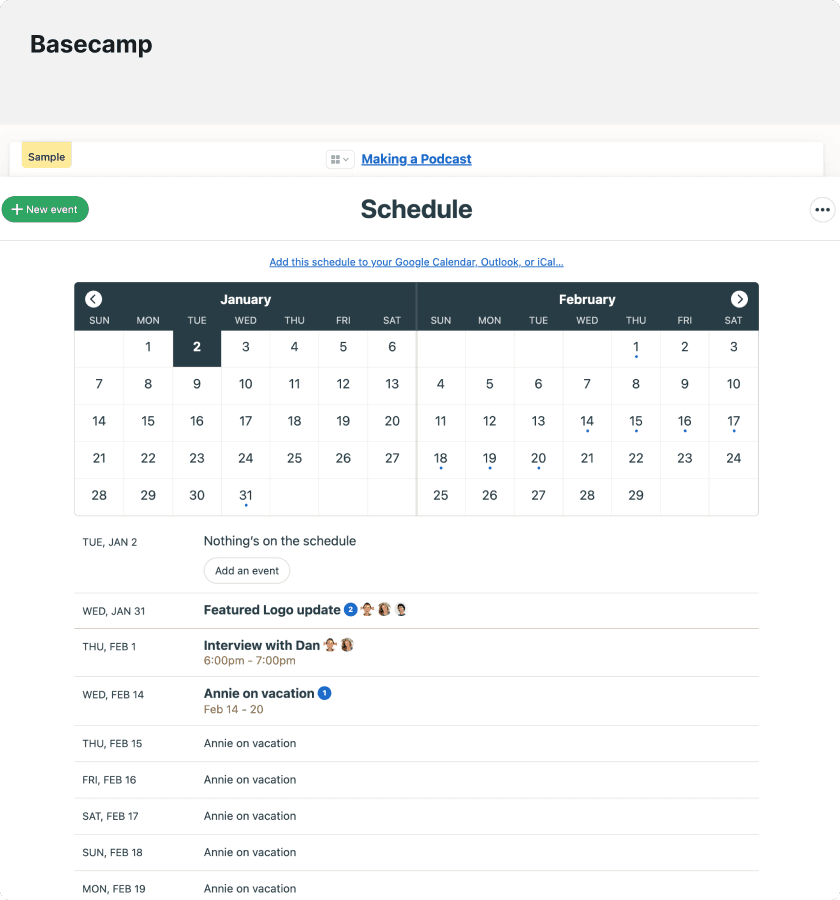
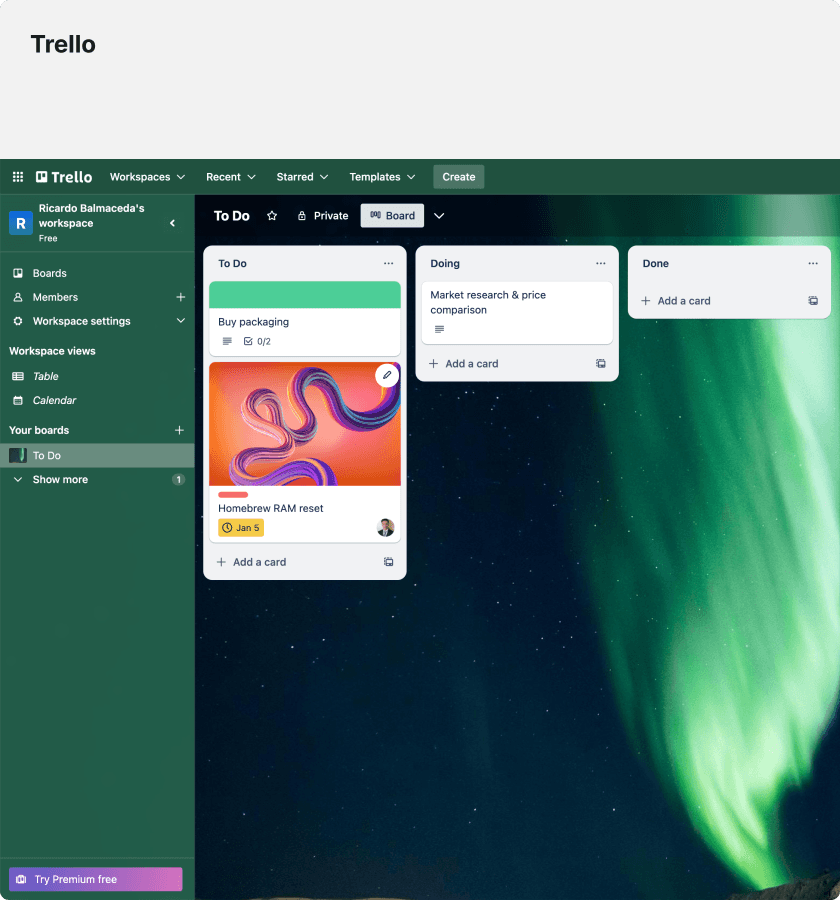
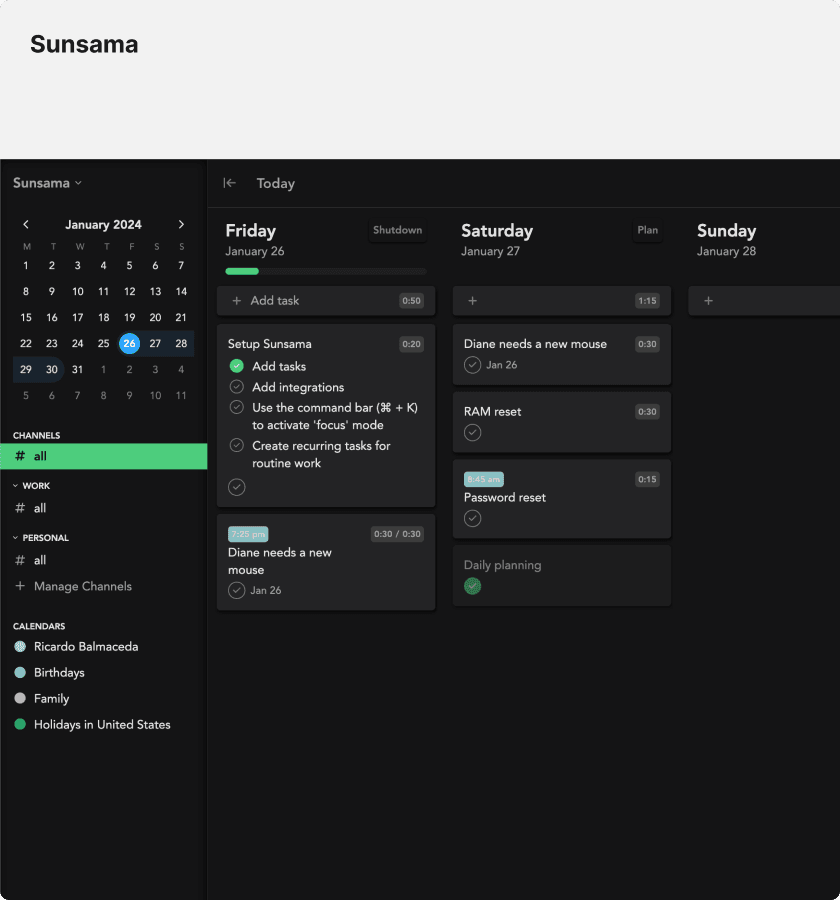
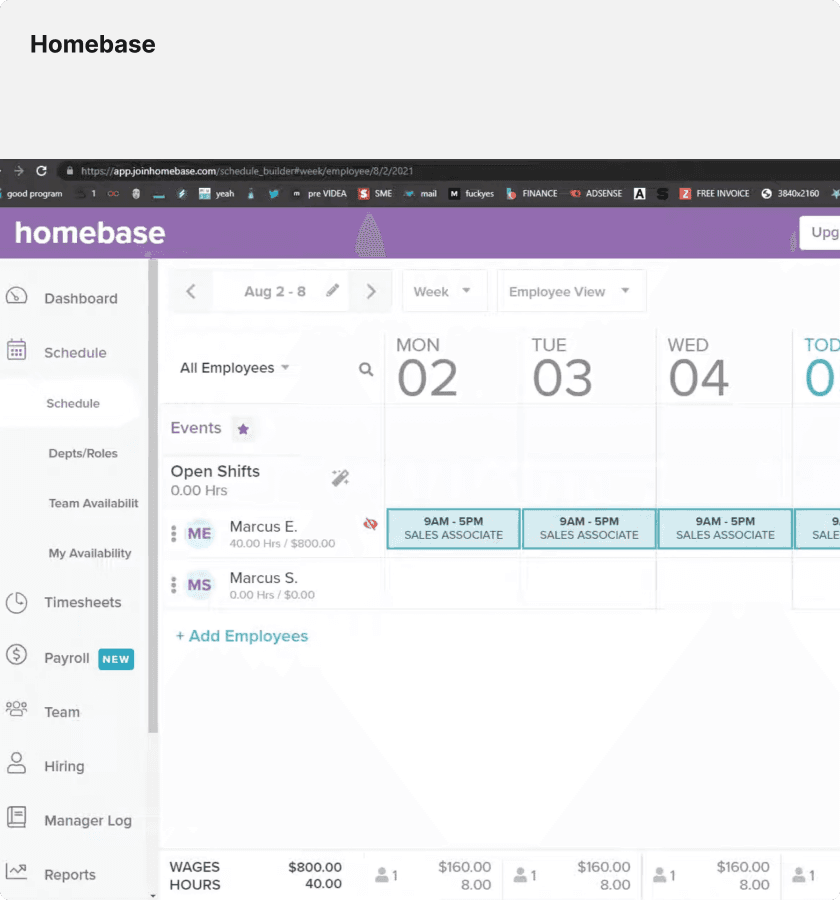
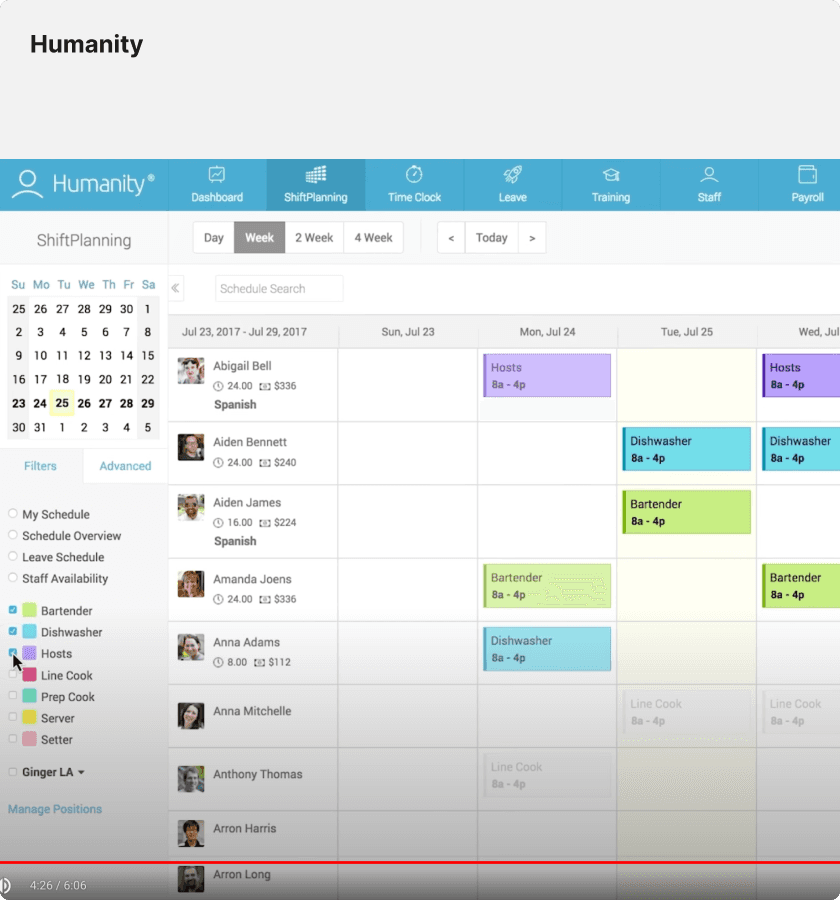
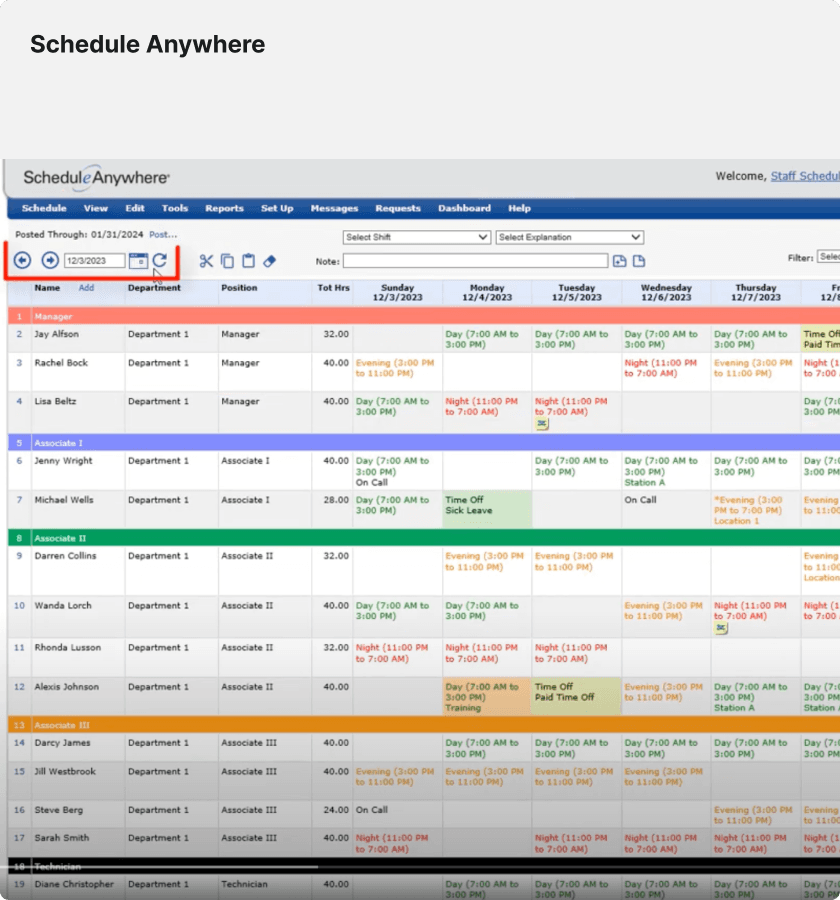
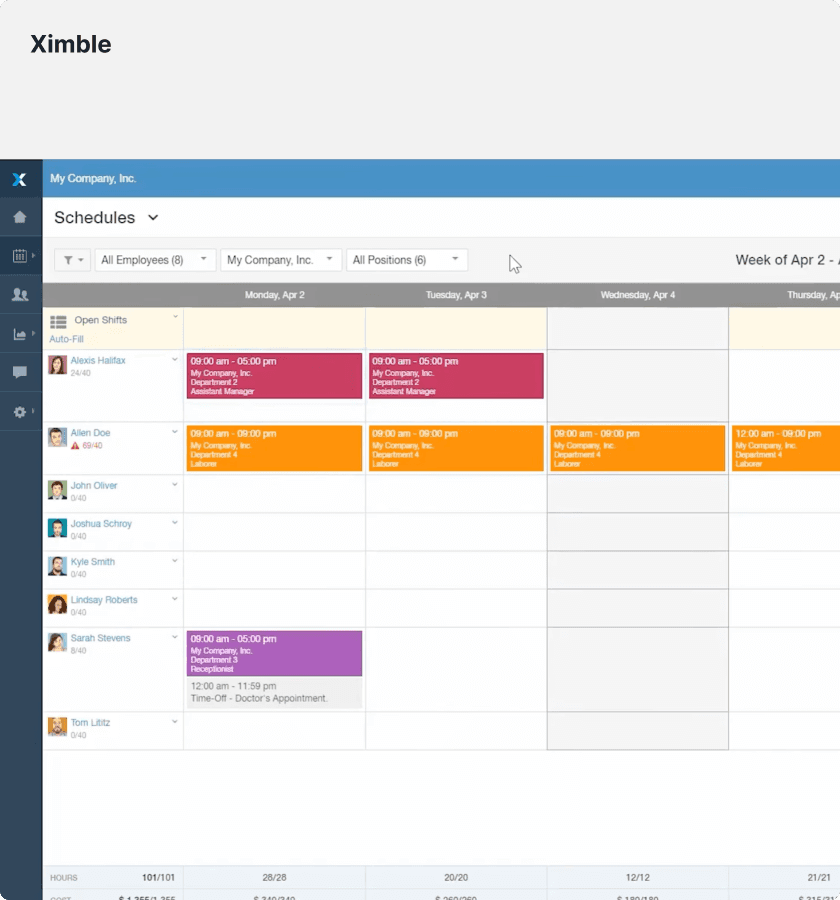
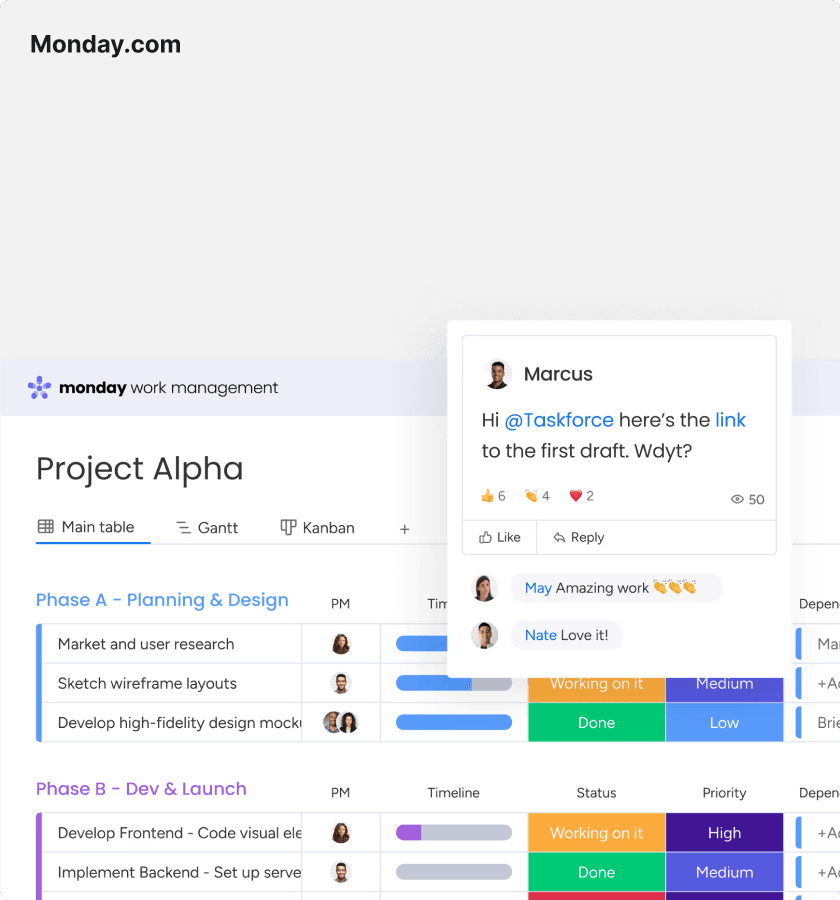
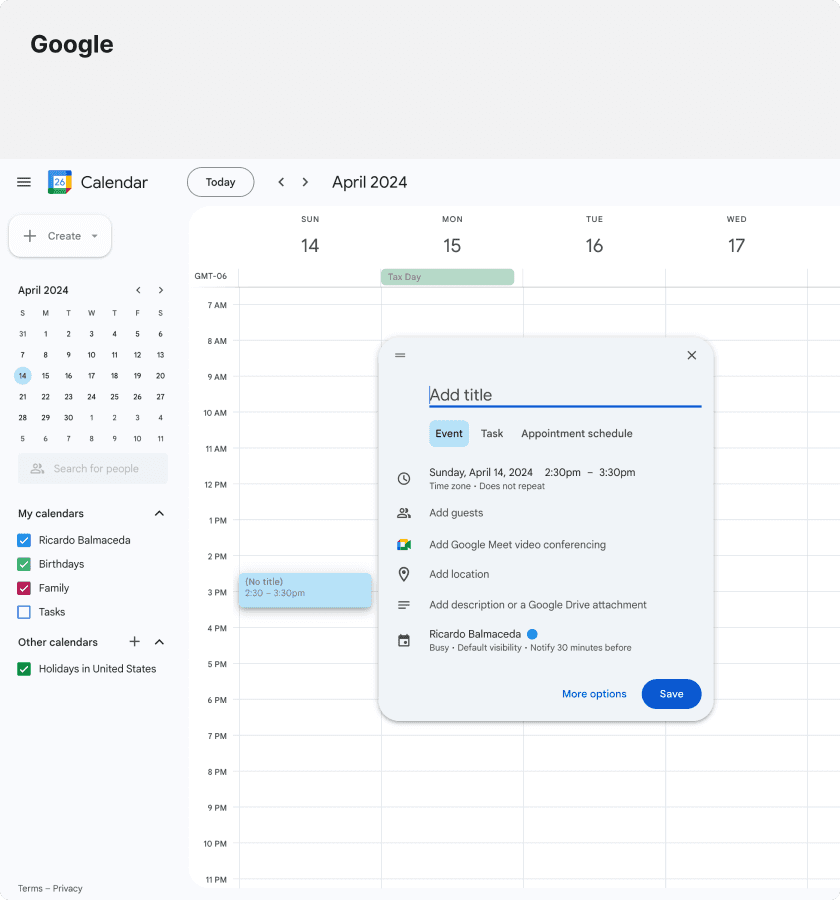
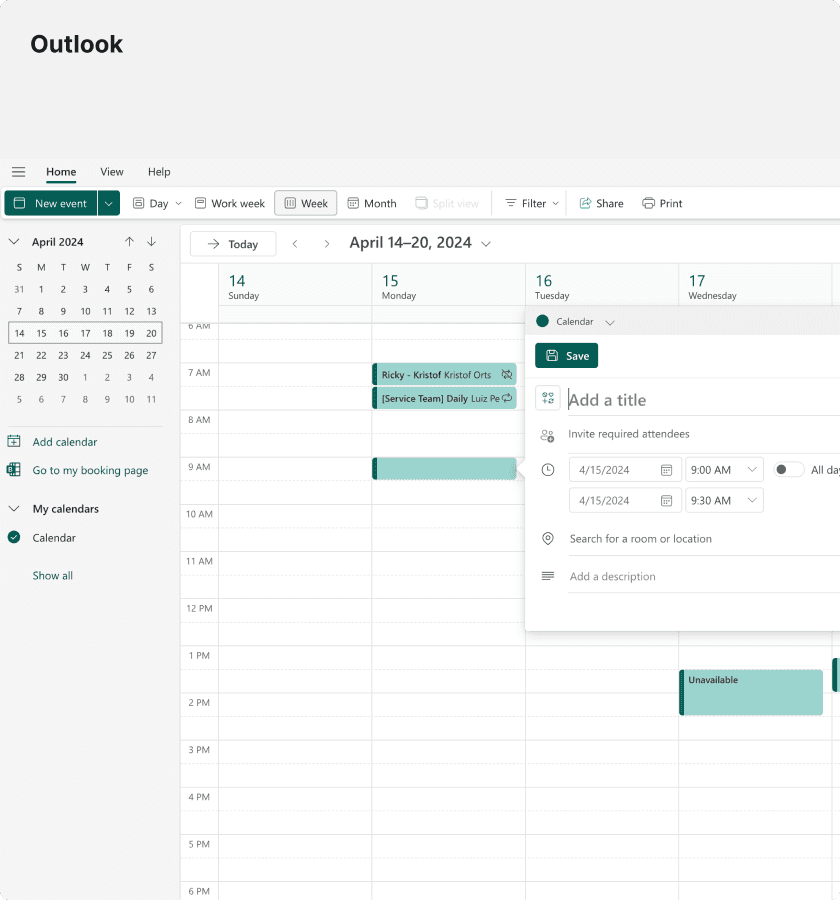
To avoid reinventing the wheel, I analyzed scheduling patterns from products like Trello, Basecamp, and others. Each had strengths such as list-based planning, kanban-style boards, or clean calendar layouts, but none fully solved the MSP workflow challenge.
This exploration gave us a language for trade-offs: speed versus precision, capacity versus detail, and calendars versus boards.
Iteration cycles
We ran bi-weekly reviews with product and design to critique directions and incorporated partner feedback from research sessions. Each round stripped away friction such as confusing design patterns, unnecessary detail, or rigid interactions until the design aligned with how users actually worked.
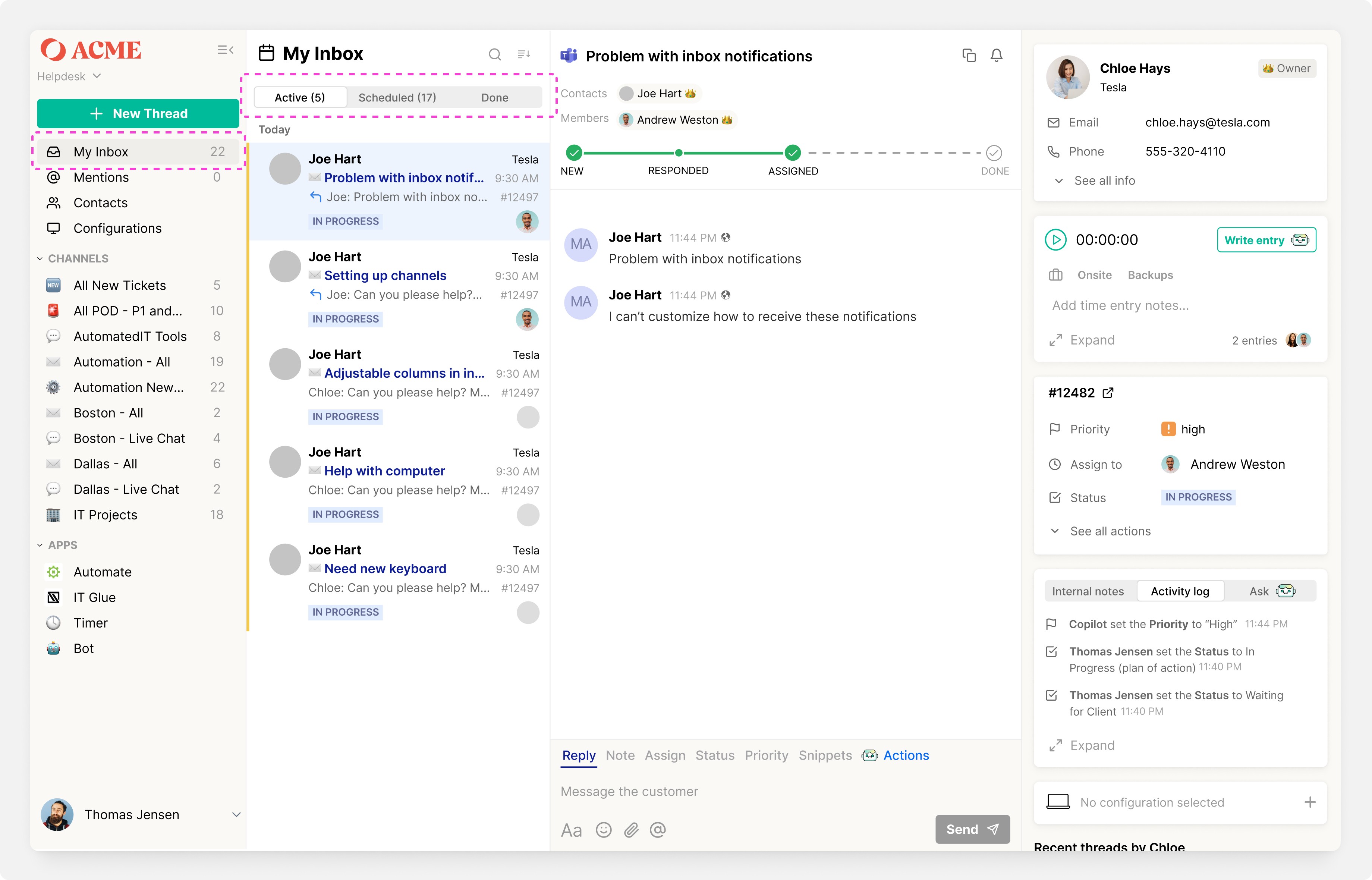
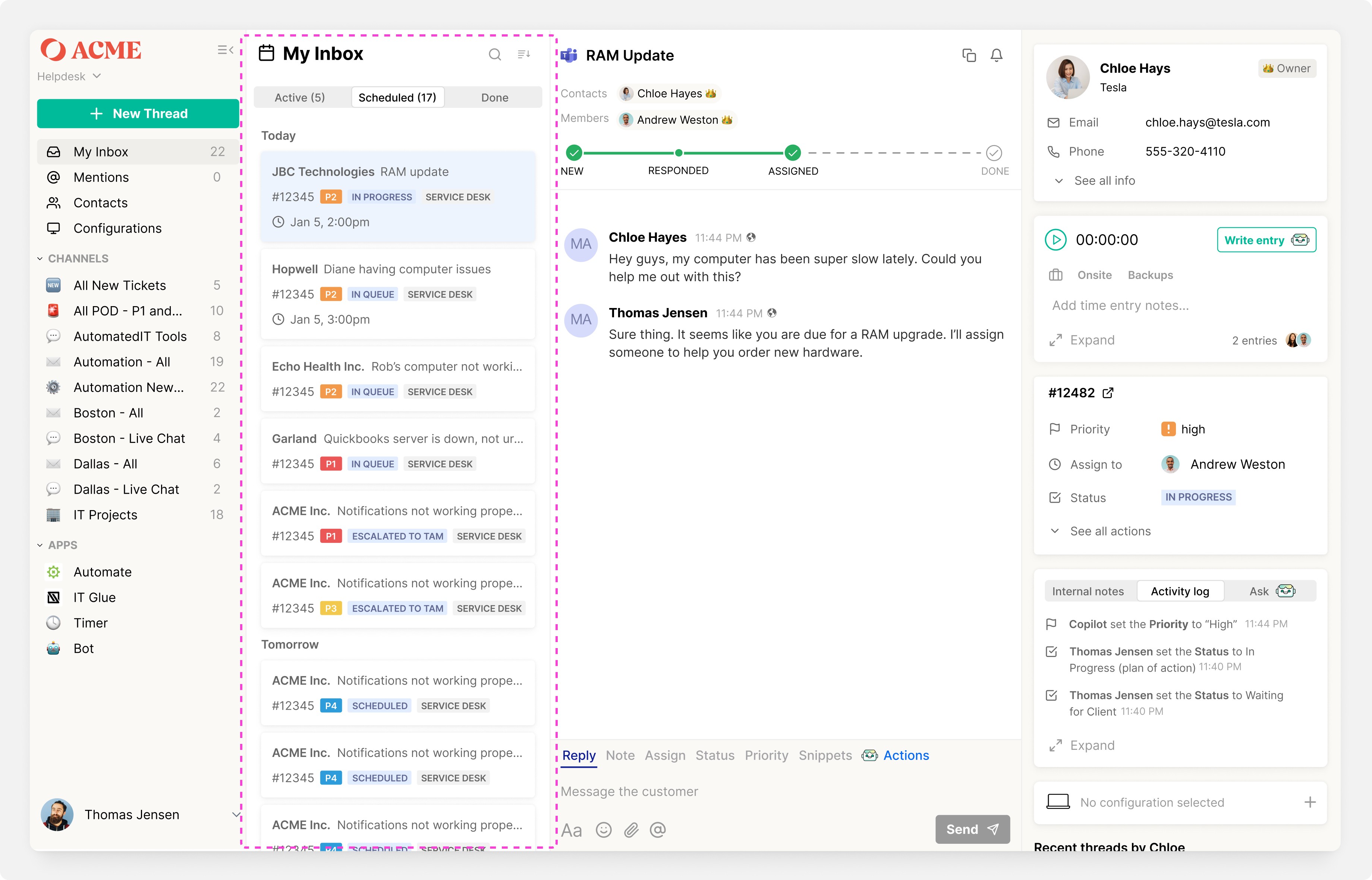
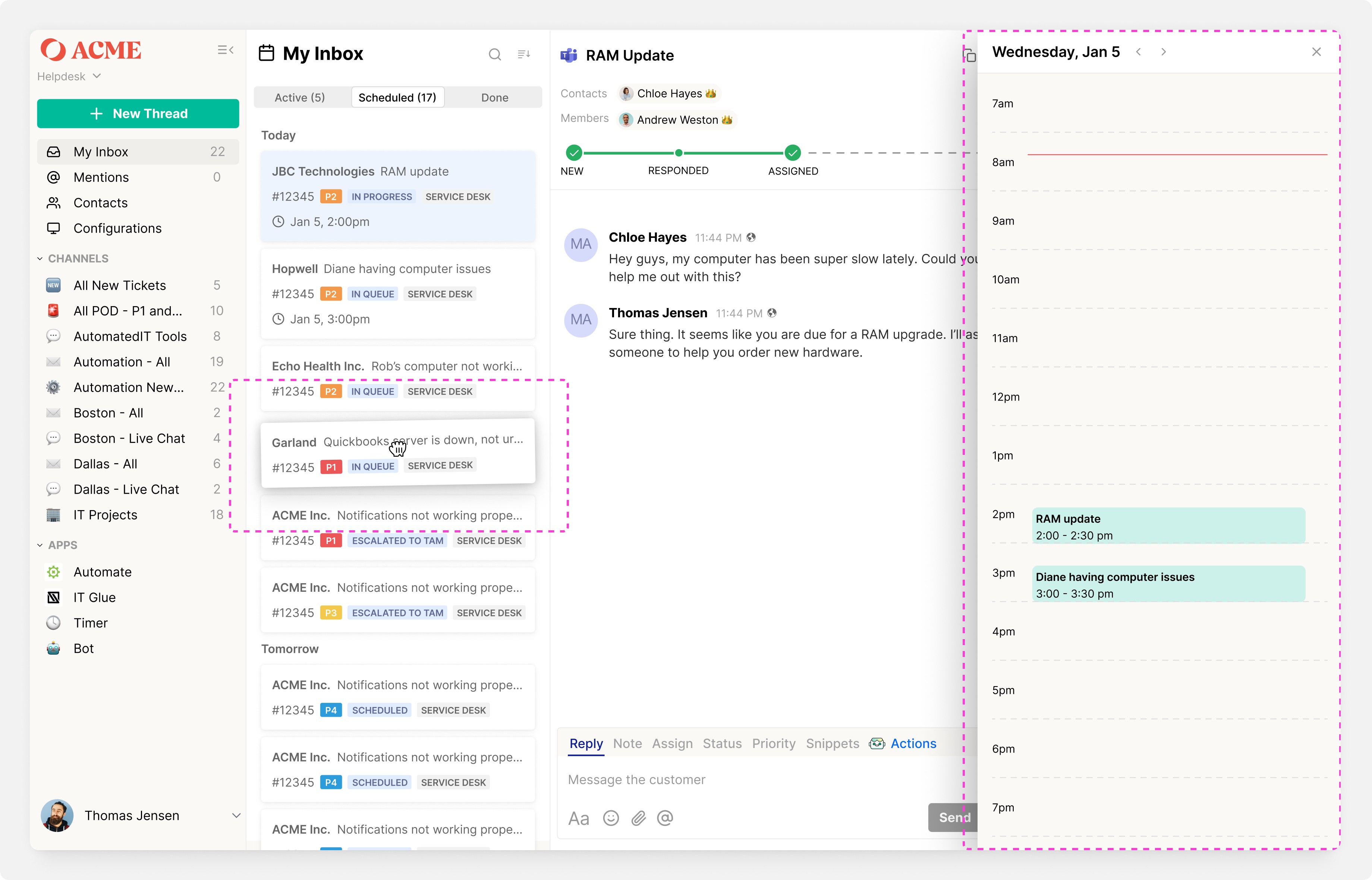
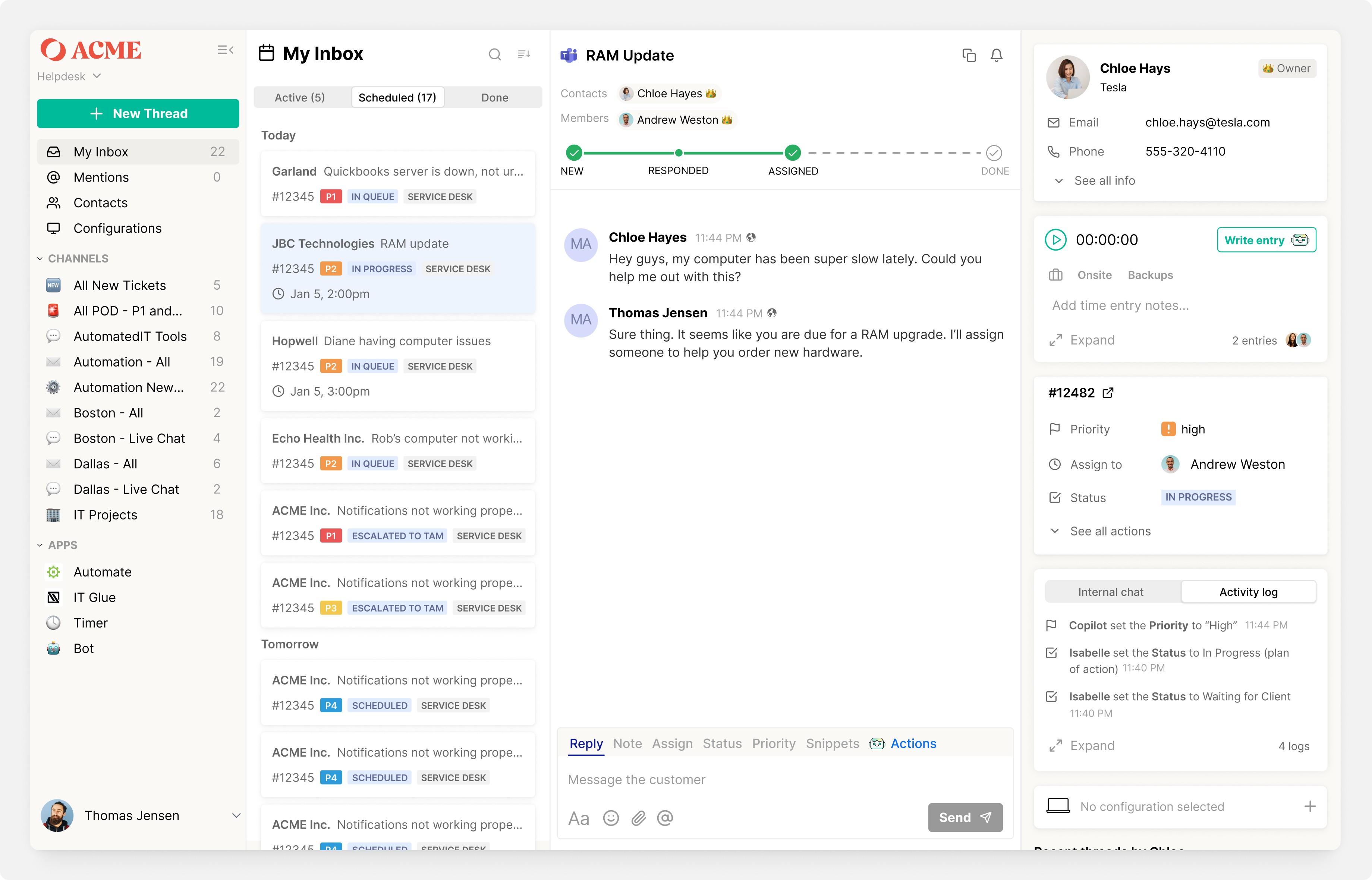
Iteration 1: Transforming "My Inbox" into a personal queue for technicians
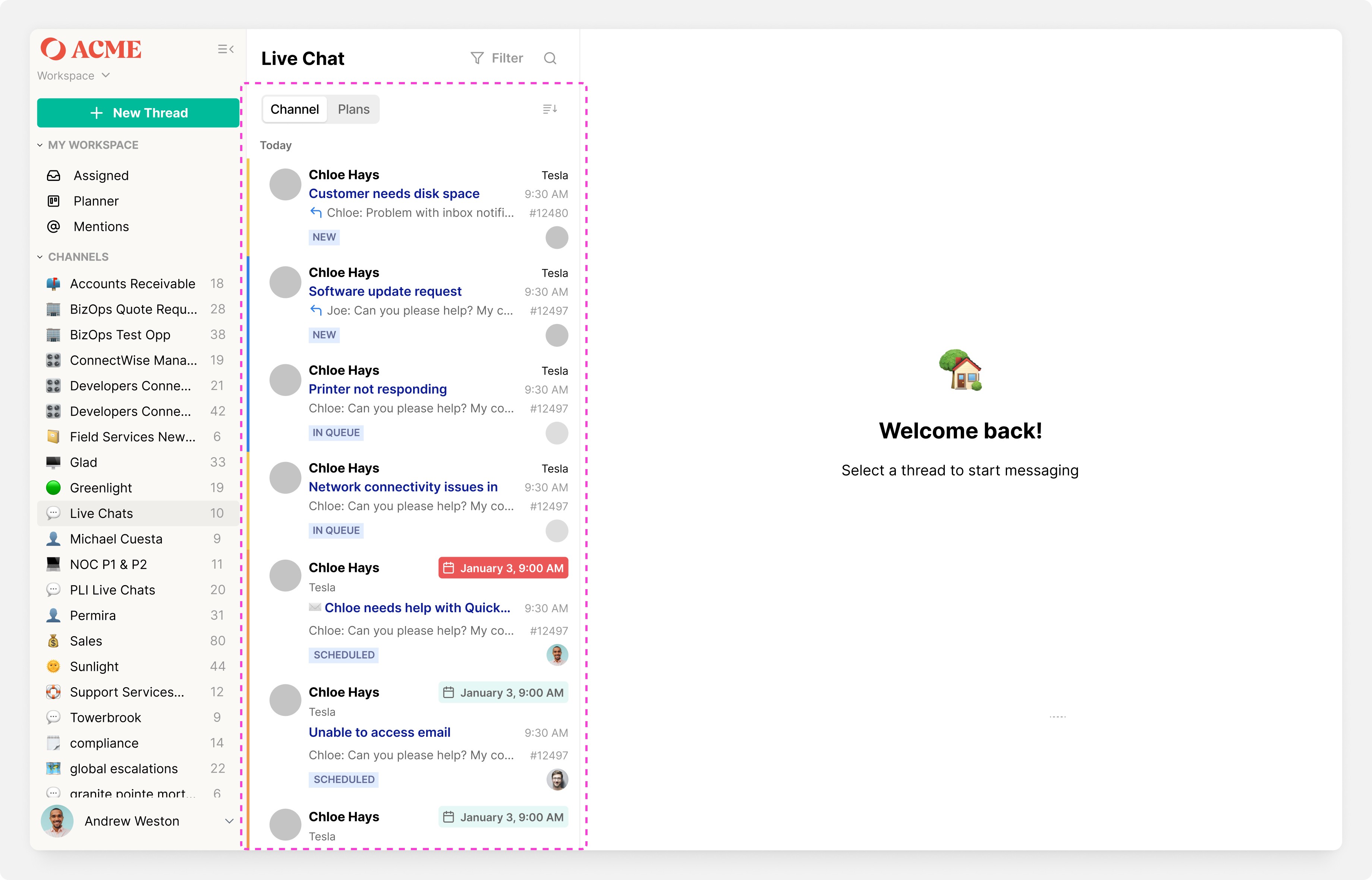
Iteration 2: Combining "Channels" with scheduling; first look at Planner
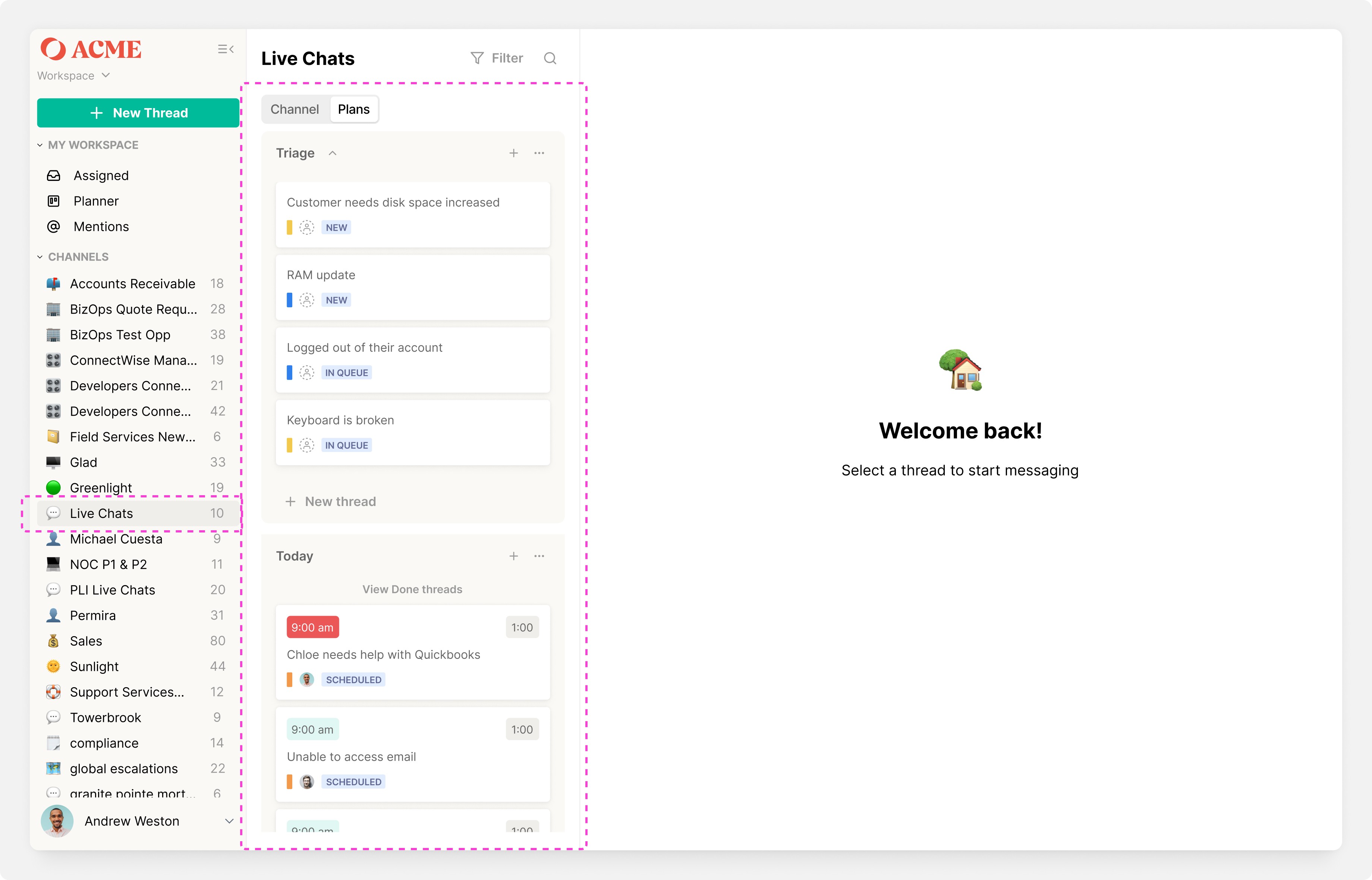
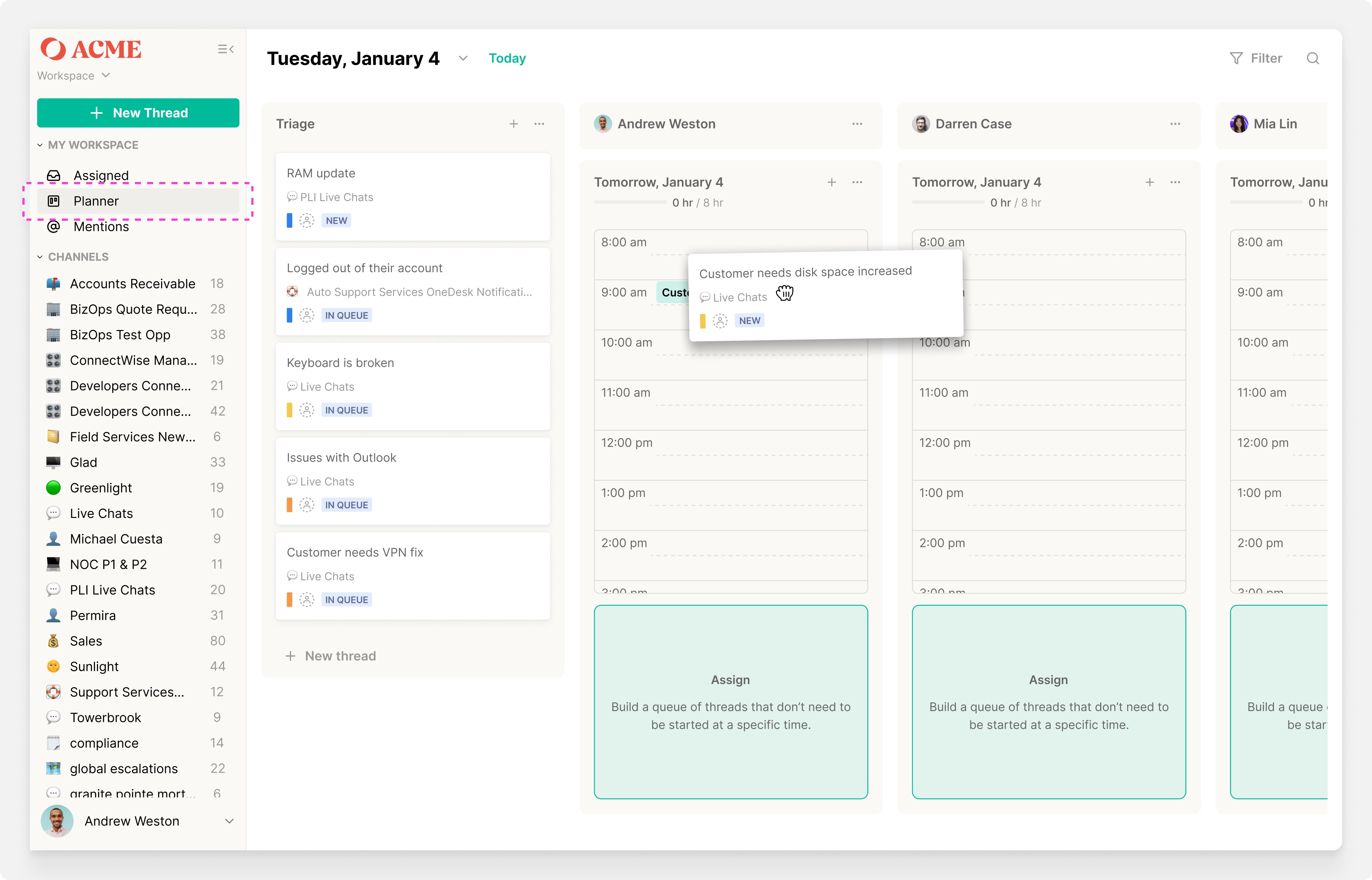
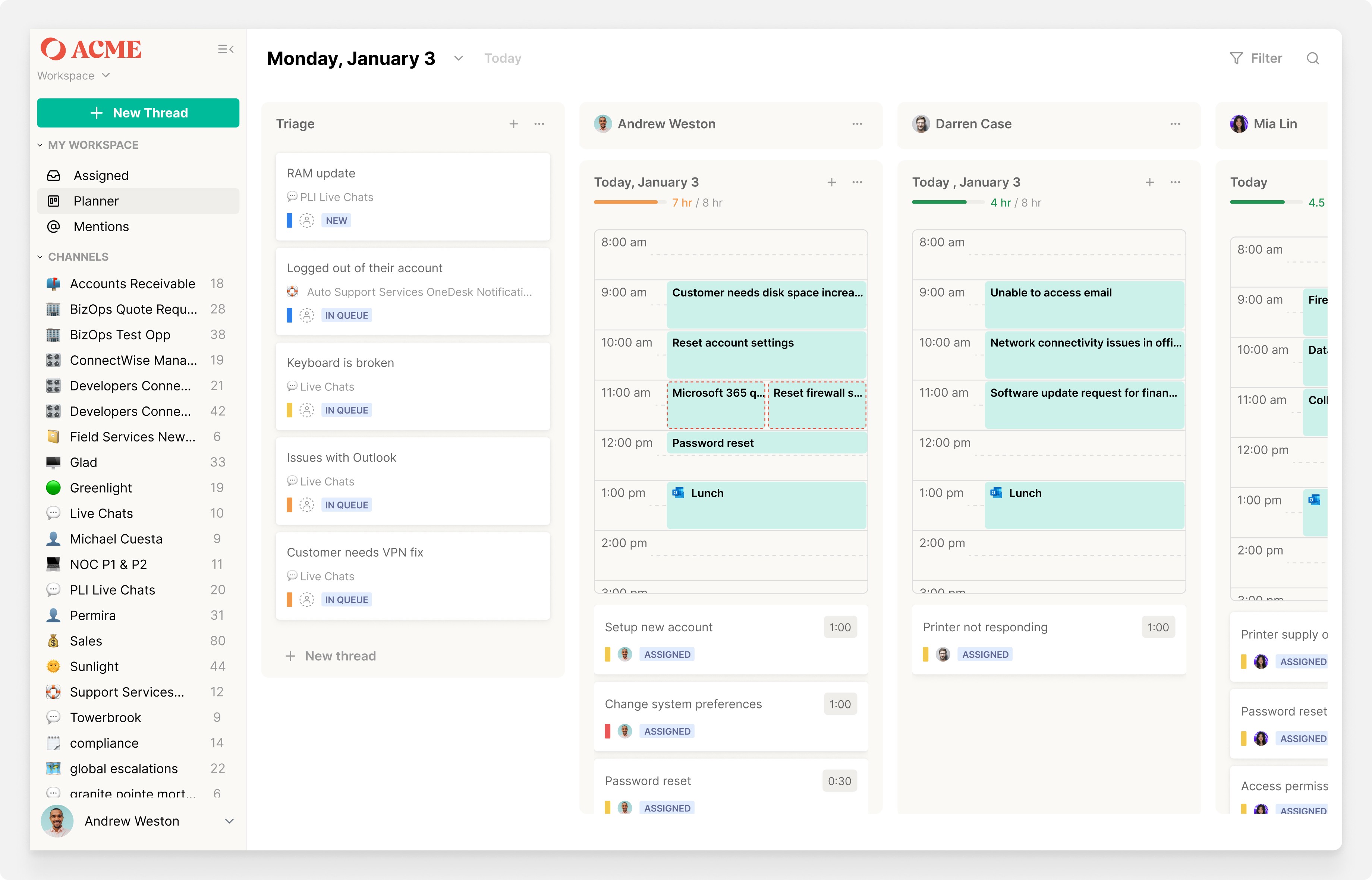
Iteration 3: The first version of Planner
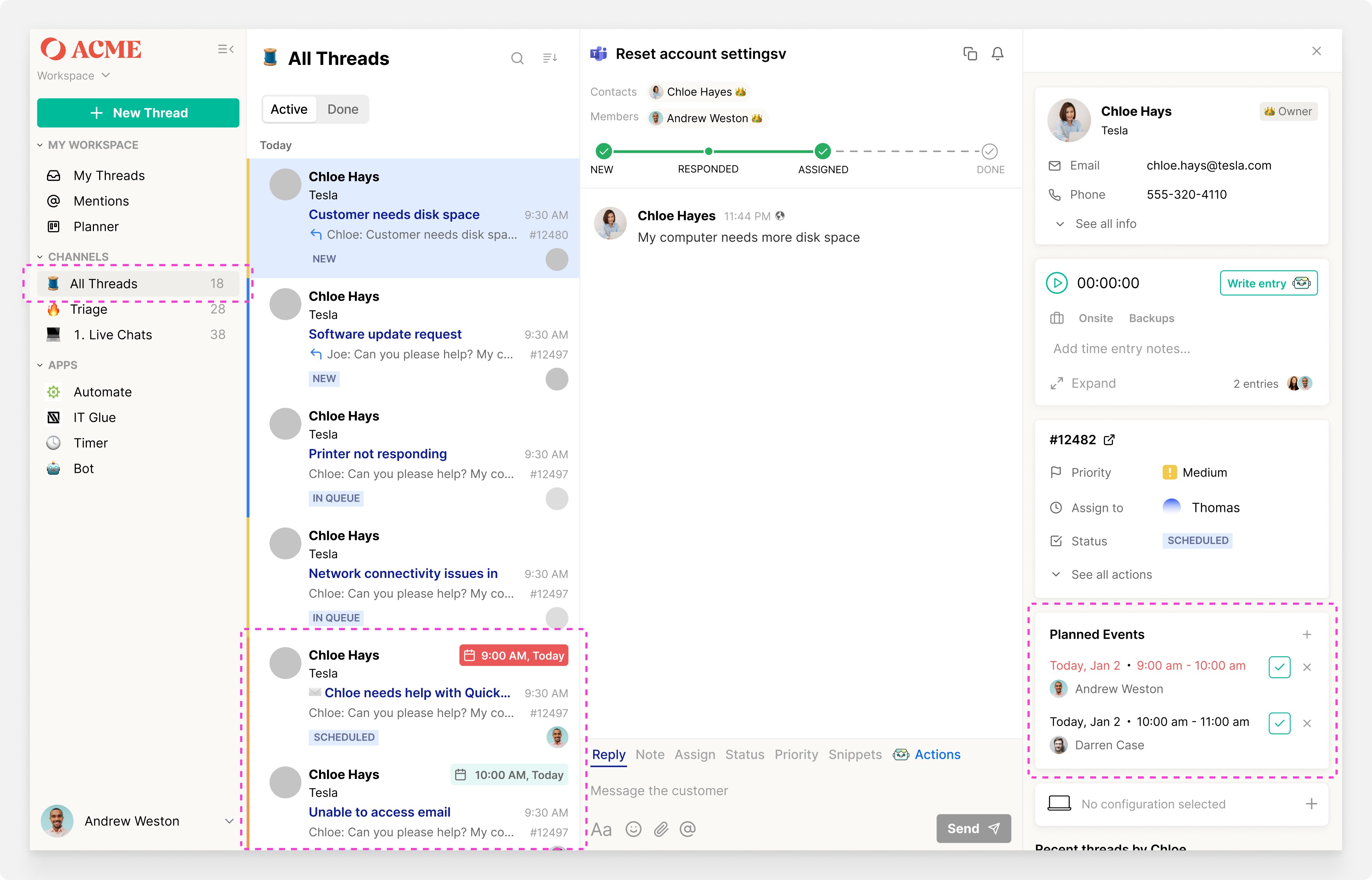
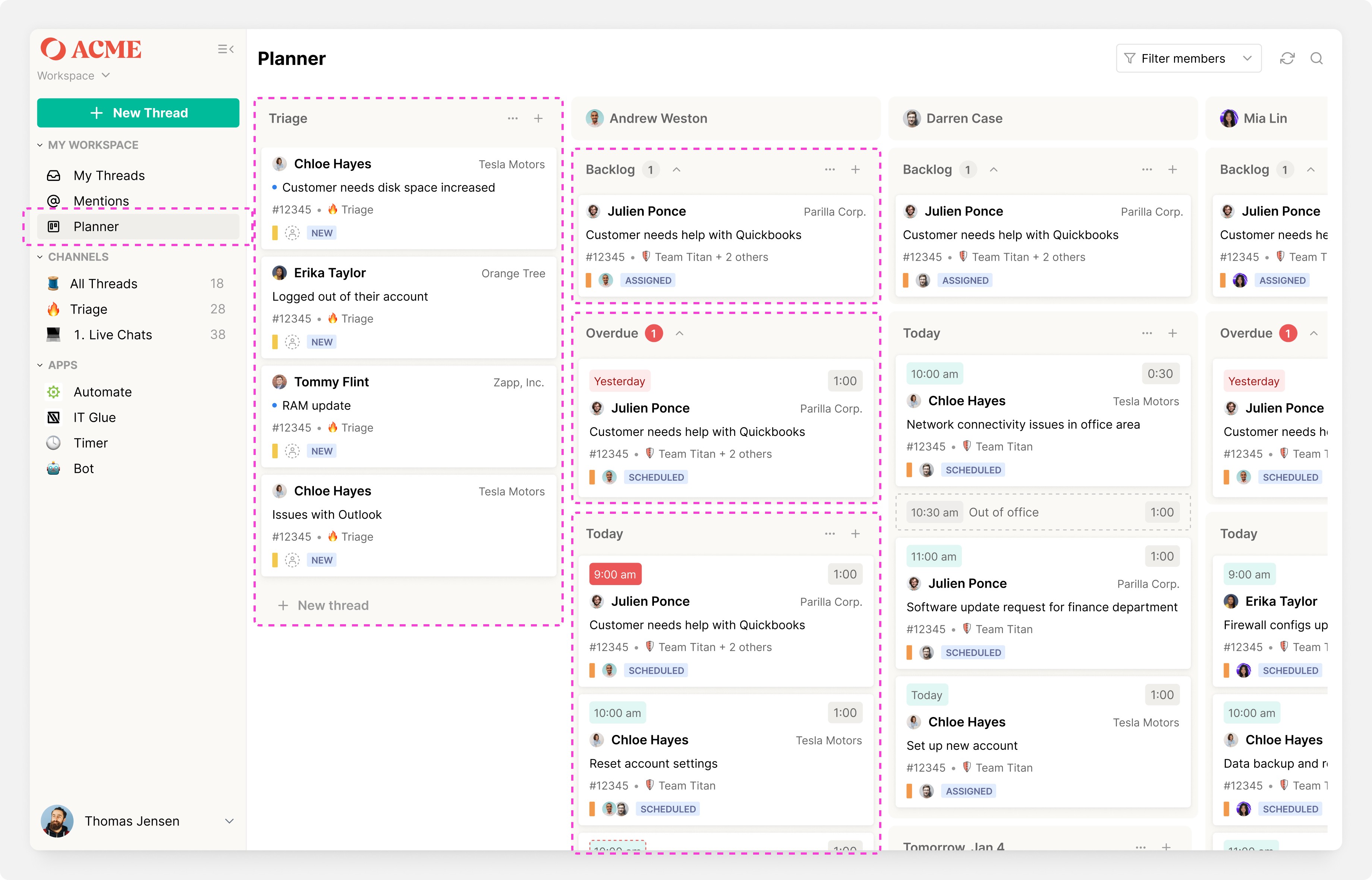
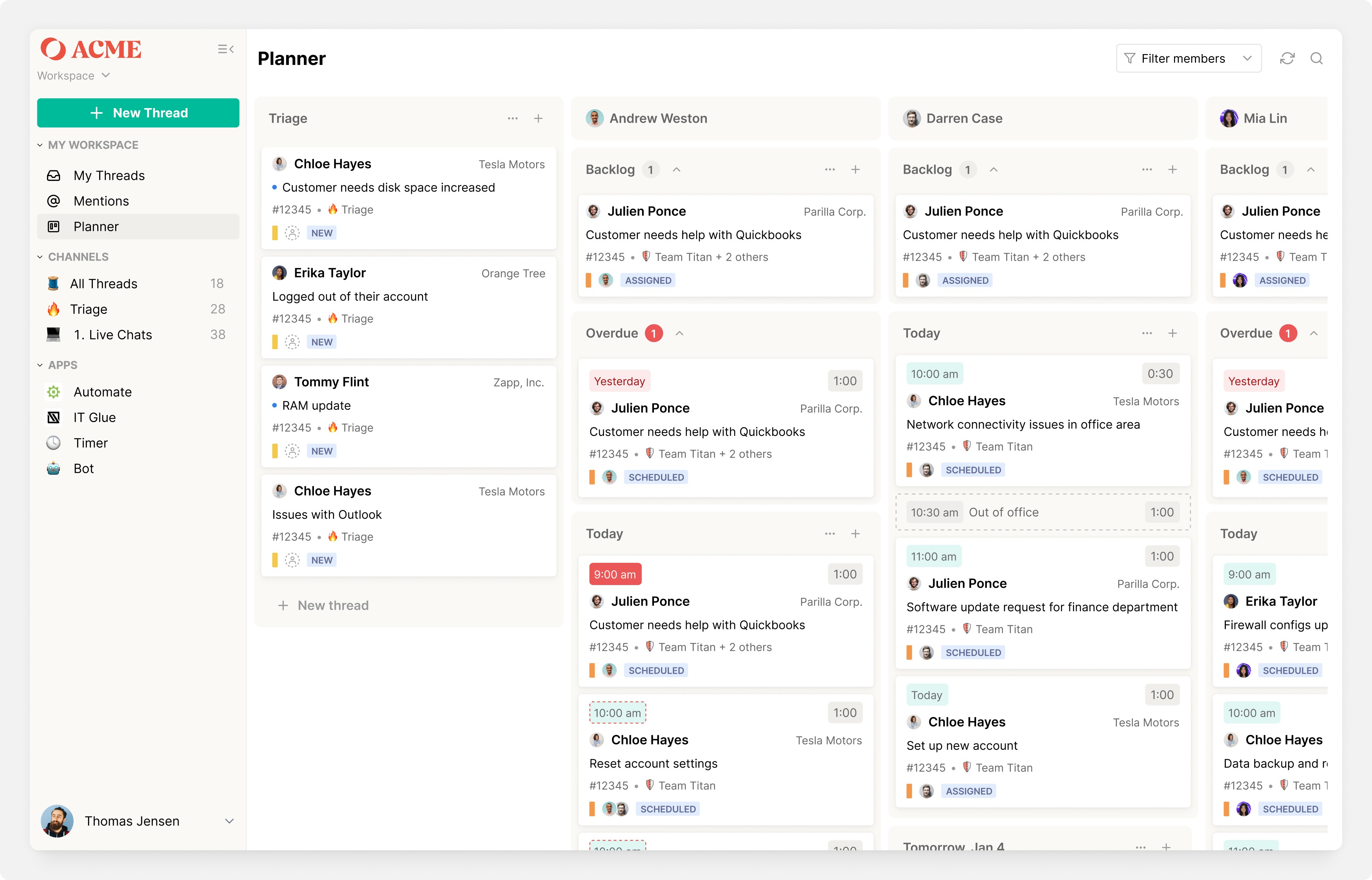
This concept became Planner v1.0: the first scheduling tool inside Inbox and a milestone that unblocked our sales pipeline.
Engineering collaboration
I worked closely with our Head of Product and an engineering pod, running weekly reviews and async check-ins in Linear, Slack and Loom. Engineers often joined research readouts, which kept feasibility aligned with user needs. Together, we made an intentional trade-off: deprioritizing Outlook calendar integration in v1.0 so we could focus on solving the more urgent pain point of day-level scheduling without fixed times. This tight loop ensured we shipped a stable foundation that unblocked sales, while leaving room to iterate fast.
Alpha & beta rollout
Before going GA, we first dogfooded Planner internally in an alpha, logging bugs and usability issues. From there, we opened a beta program with nine partners. Some were a strong fit and provided high-value feedback, while others surfaced edge cases where Planner didn’t yet align with their workflows. This mix helped us stress-test Planner, uncover performance bottlenecks, and validate where the product needed to evolve.
Go-to-market
Alongside our Customer Success and Marketing teams, I created onboarding tooltips, Loom videos, and knowledge base articles to drive adoption. I also designed lightweight marketing content such as launch GIFs to showcase Planner’s value. Planner v1.0 shipped in GA, immediately unblocking our sales pipeline and giving partners their first scheduling tool inside Inbox.

Results
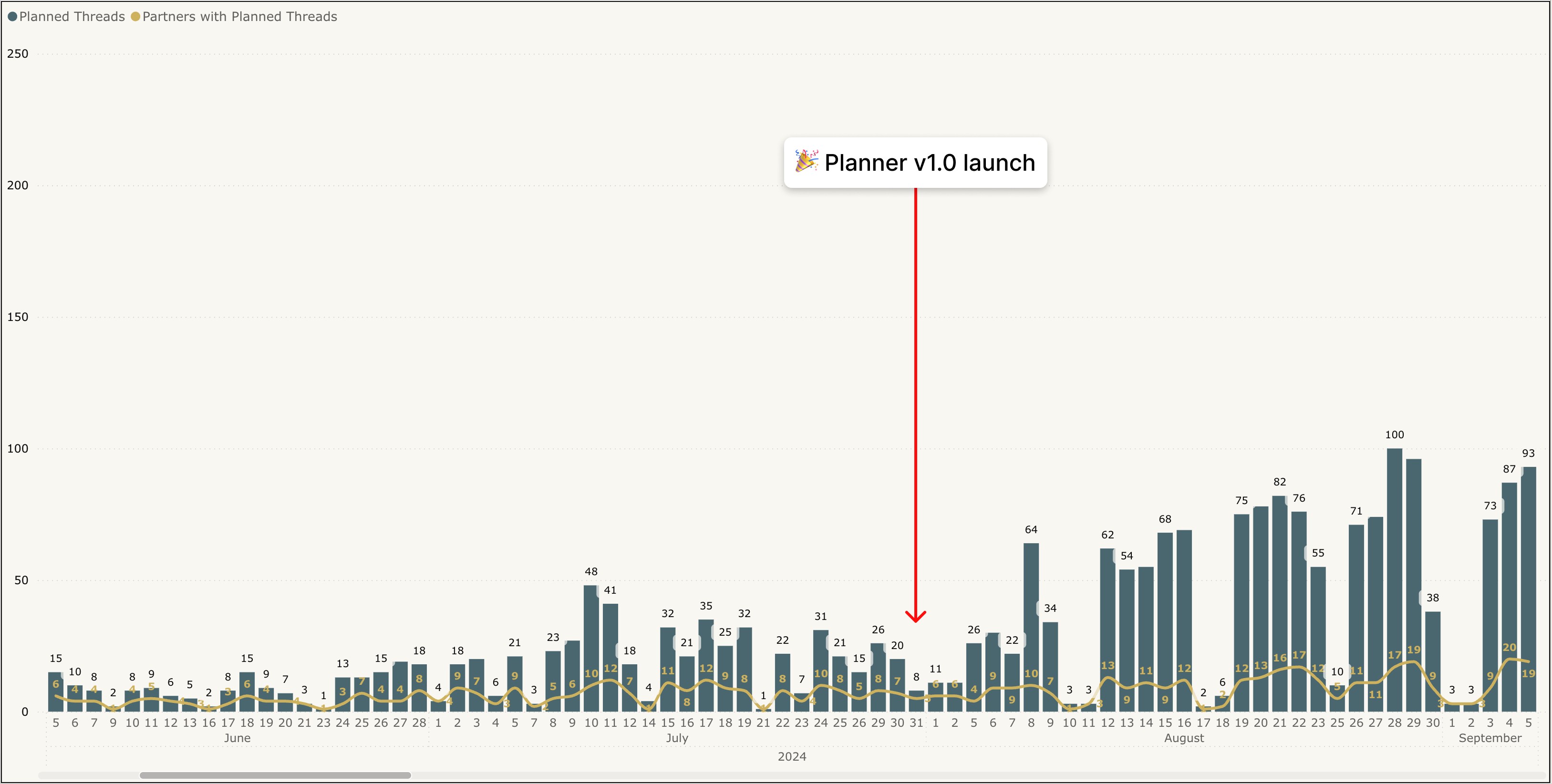
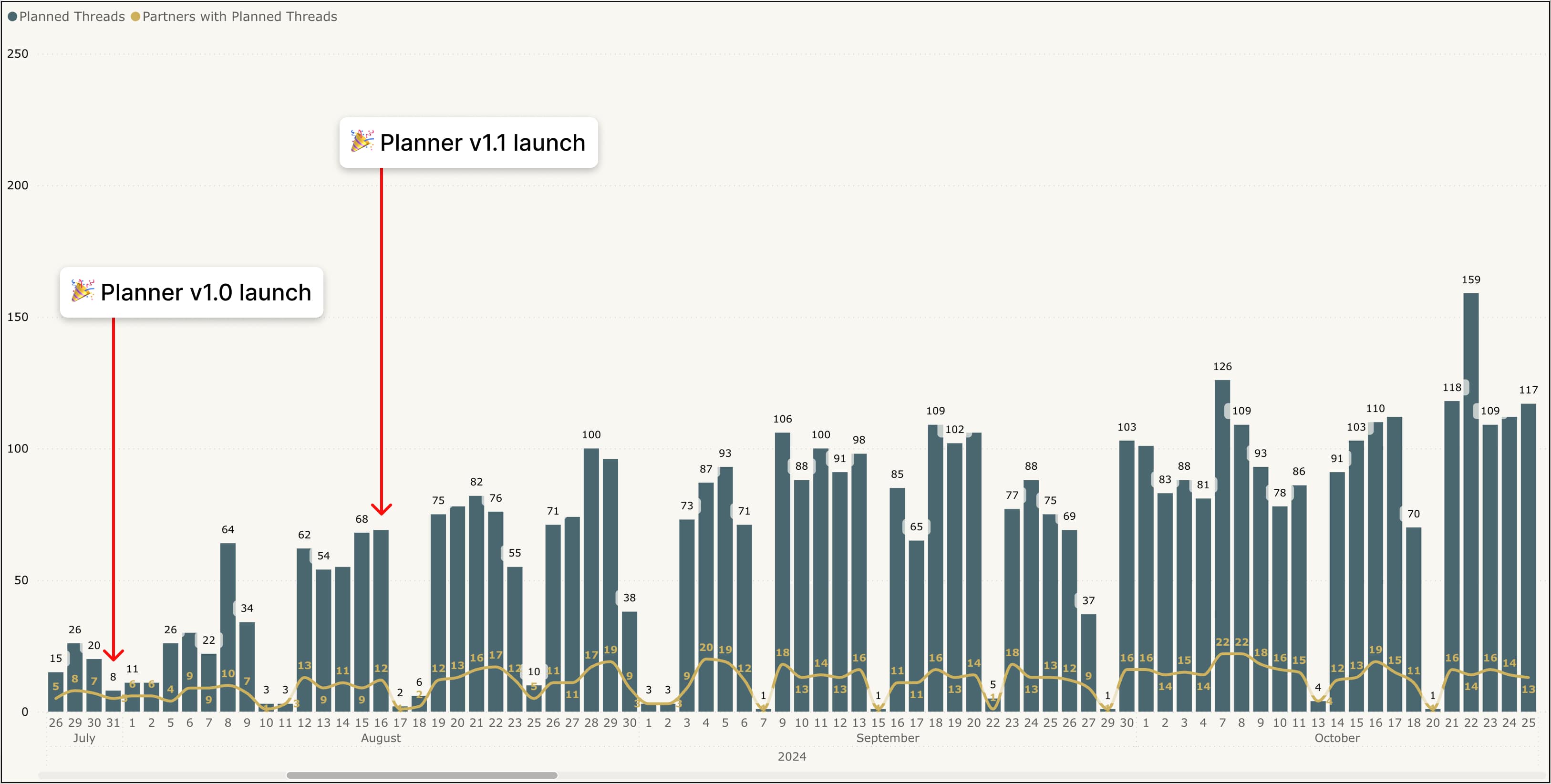
Planner usage began to climb, but adoption was inconsistent and partner feedback revealed critical gaps. This chart shows activity right after v1.0 — early wins, but also the clear need for filters, thread modals, and quick actions to make scheduling truly usable.
Learnings from v1.0
What worked well
v1.0 solved the immediate sales blocker and gave dispatchers a scheduling tool directly inside Inbox.
Day-level scheduling matched real technician workflows and reduced the noise of PSA calendars.
Phased rollout (alpha → beta → GA) gave us confidence in stability while surfacing critical gaps.
What we learned
Dispatchers needed filters to cut through ticket noise.
A thread modal view was needed so dispatchers could quickly pop in and out of threads without breaking context.
Inline edits (owner, status, priority) were important to maintaining focus in Planner.
Partners expected integrations like TimeZest to streamline client scheduling.
Performance and scalability would be a recurring challenge, especially for larger partners.
Our process
v1.1 Iterating on feedback
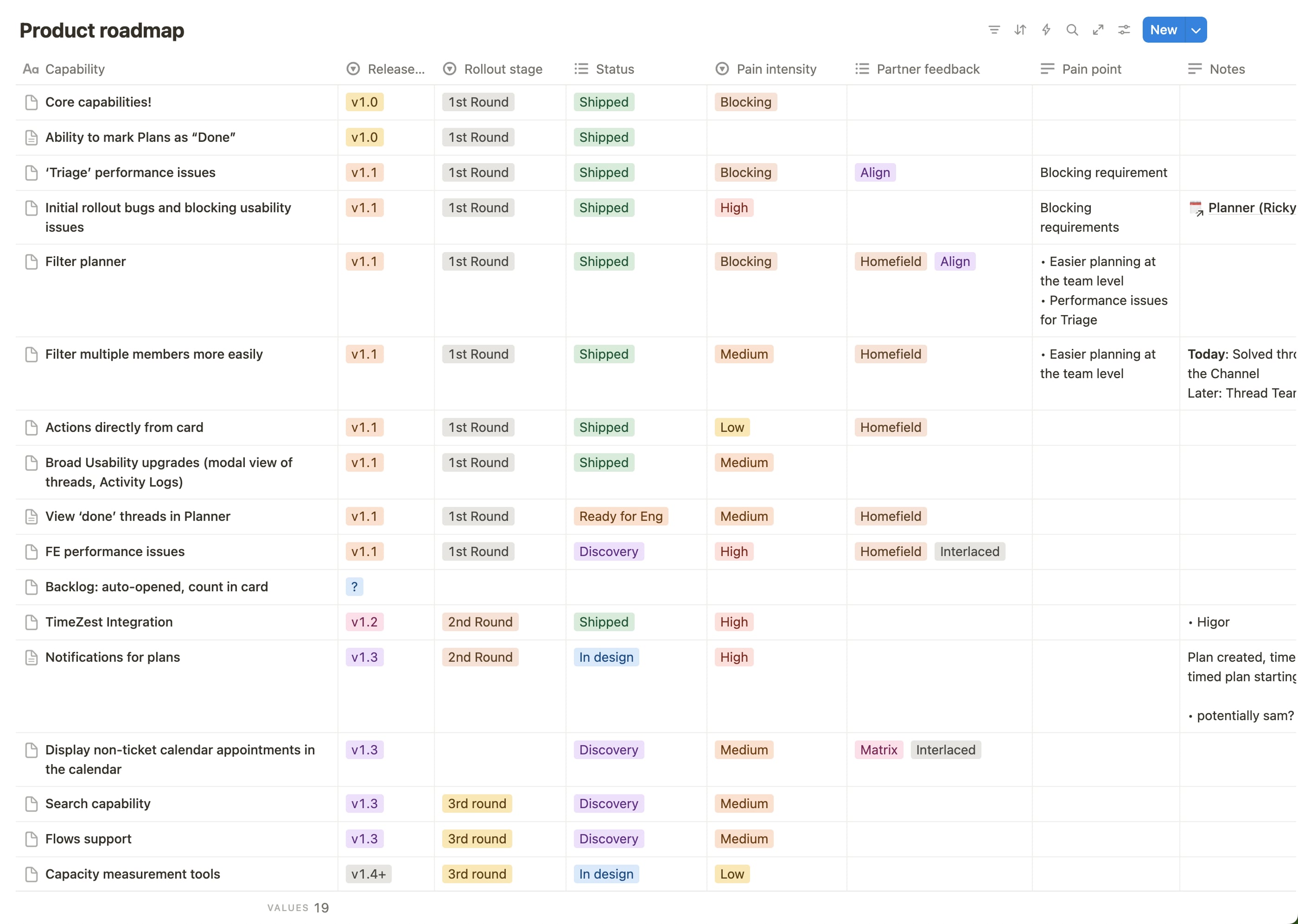
Planner v1.0 proved the value of scheduling inside Inbox by unblocking sales and giving partners their first native scheduling tool. But feedback quickly showed where we needed to go next. We ranked issues by pain intensity and paired that with engineering input on effort to build a clear roadmap from v1.1 through v1.4+.
Prioritization & focus
Not all feedback carried the same weight. Filtering was an outright blocker for large partners, so it became our top priority. Next came usability upgrades that sped up dispatchers’ workflows: thread modals to cut context switching, quick actions on cards, and integrations like TimeZest to reduce client scheduling back-and-forth.
This sequencing let us remove adoption blockers first while setting Planner up to scale across different partner workflows.
Key improvements in v1.1
Filtering: simplifying complexity
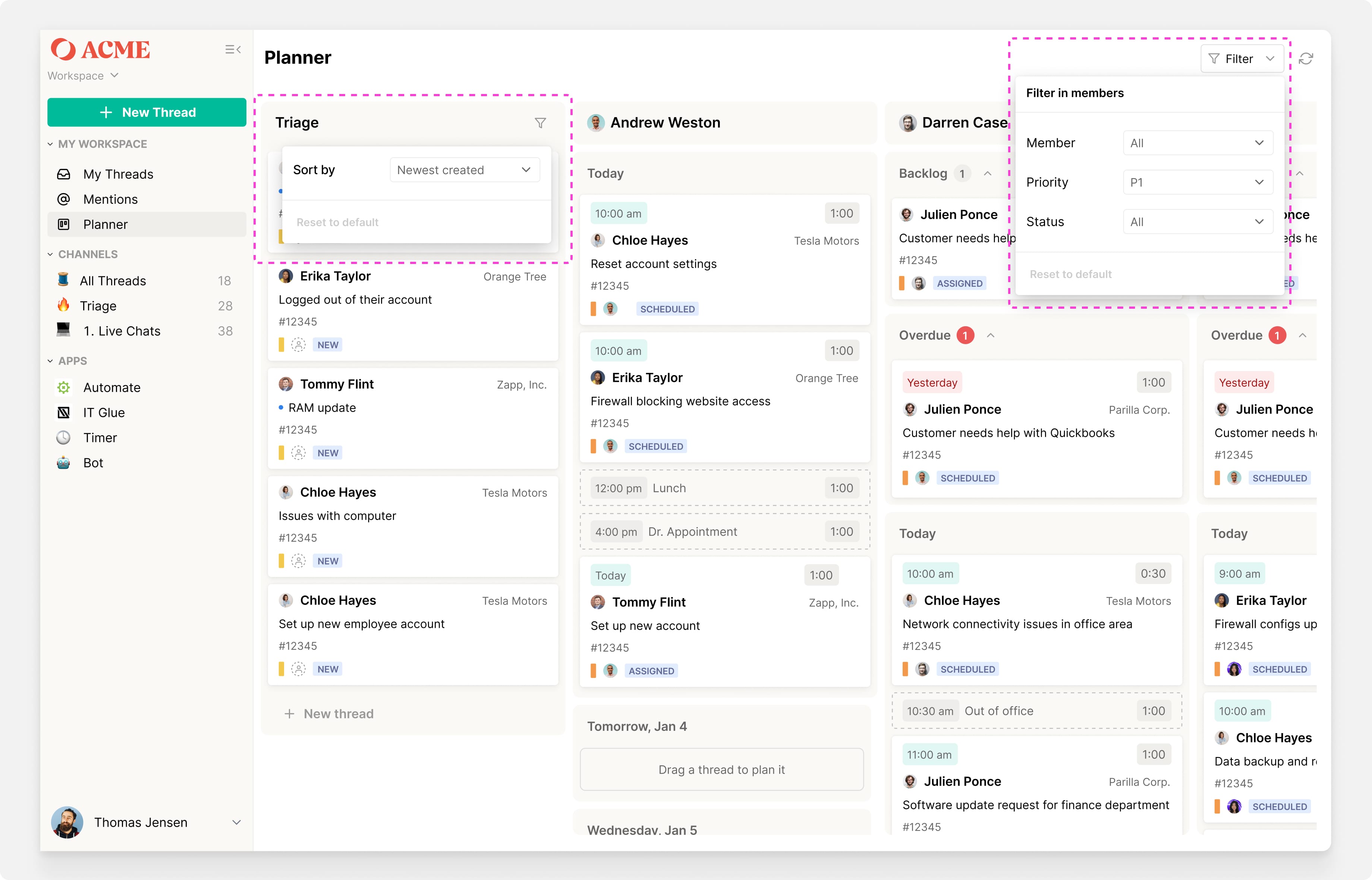
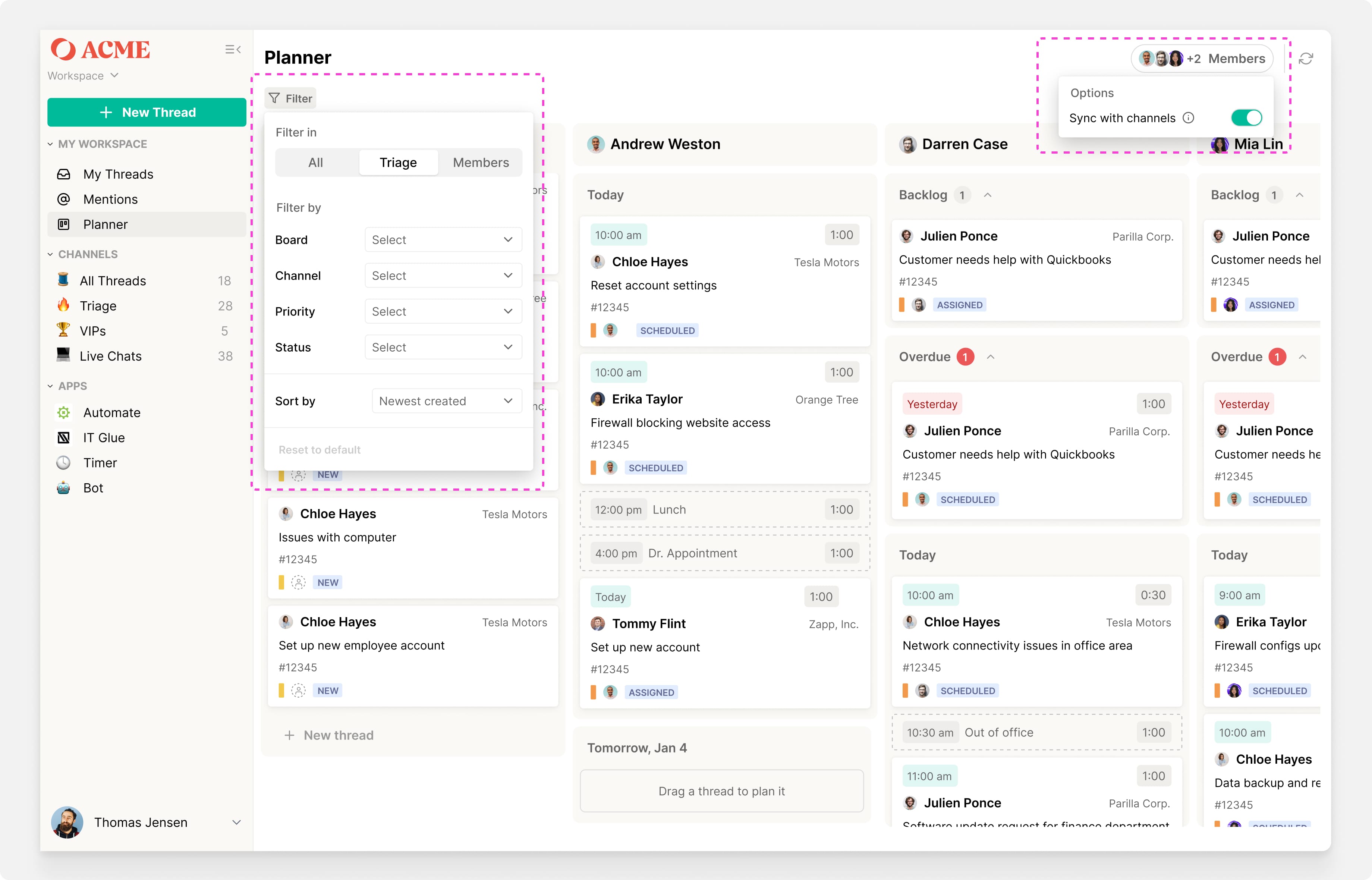
Planner’s biggest blocker for large partners was noise. Alert tickets flooded triage and made it hard for dispatchers to focus on actionable work. Solving this required more than just adding a filter menu — we had to reconcile how filters should behave across two different sections of Planner:
Triage → where dispatchers needed to focus on incoming work
Members → where dispatchers needed visibility into assigned workloads
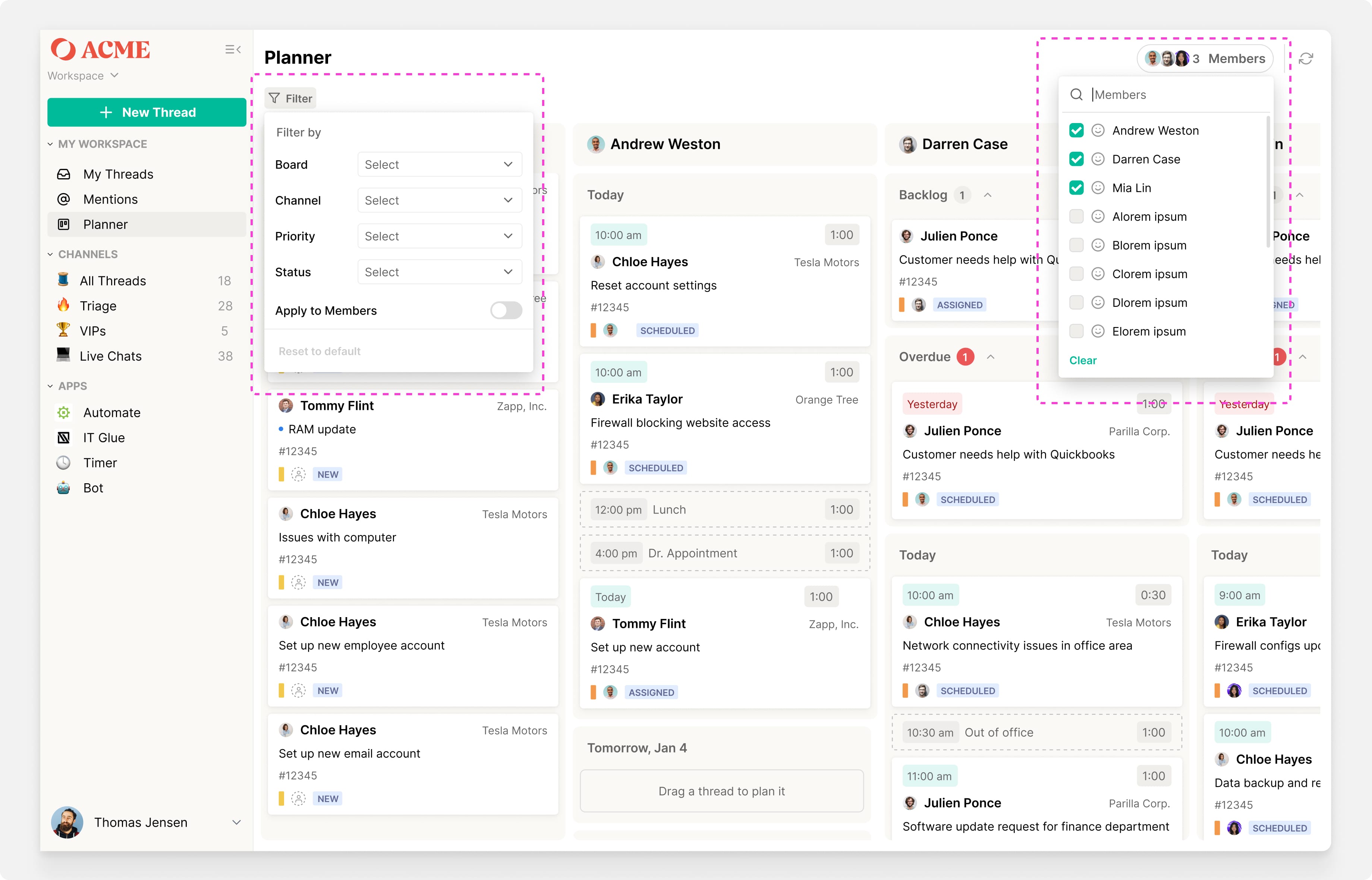
Early designs tried to sync these sections automatically, but the logic became confusing. Should “All” reflect triage filters, member filters, or both? Should filtering by channel also auto-limit the members displayed? Each solution felt unpredictable to users.
In the end, we simplified:
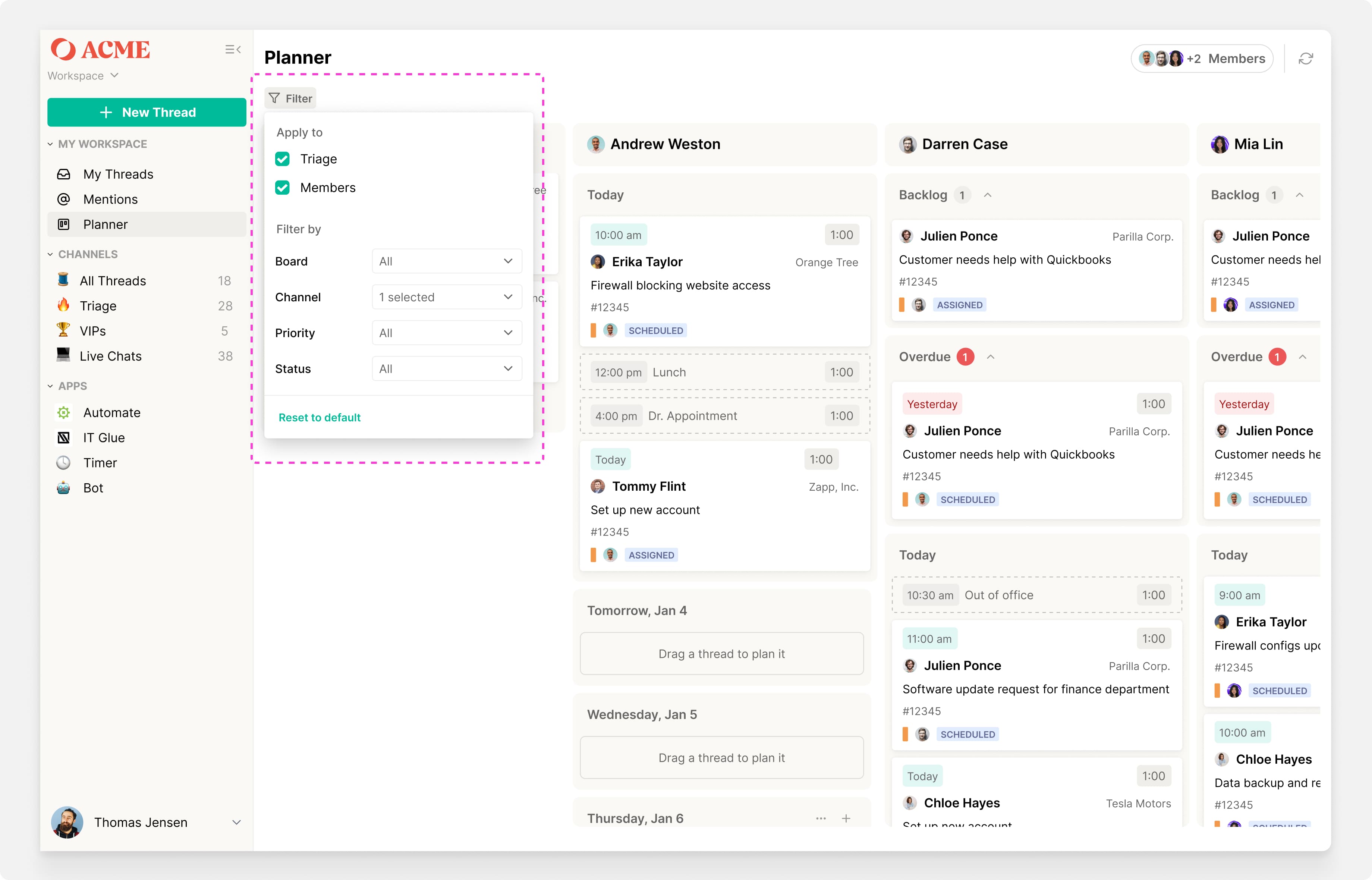
By default, filters applied only to the triage section, keeping dispatcher focus clear.
A toggle let dispatchers extend those filters to members when needed.
Members could also be shown or hidden independently from a separate menu.
This approach struck the right balance: predictable, stateful filters that kept Planner simple while still giving dispatchers control when they needed it.
Filtering concepts
Add Thread modals to reduce context switching
In v1.0, dispatchers had to leave Planner to open a full thread view. v1.1 added a modal that allowed them to peek inside threads, make edits, and return to planning without losing context.
Quick actions on Thread cards
In v1.0, dispatchers had to leave Planner to open a full thread view. v1.1 added a modal that allowed them to peek inside threads, make edits, and return to planning without losing context.
TimeZest Integration
To streamline client scheduling, we integrated with TimeZest so contacts could book meetings with technicians directly, reducing scheduling back-and-forth.

Results
Once we shipped v1.1, adoption accelerated. Filtering removed noise in triage, modals and quick actions cut context-switching, and TimeZest integration streamlined client scheduling.
The result: Planner activity more than doubled, with sustained growth as partners incorporated it into daily workflows.
Learnings from v1.1
What worked well
Filters unblocked dispatchers at scale, making triage usable even for partners flooded with alerts.
Thread modals and quick actions reduced context switching and sped up scheduling workflows.
TimeZest integration streamlined client scheduling and reduced back-and-forth.
Planner became a daily tool for dispatchers, with adoption growing steadily across partners.
What we learned
Outlook calendar events are essential: without surfacing meetings and external events, dispatchers couldn’t see a technician’s full availability. This limited Planner’s value as a true single source of truth.
In Summary
Planner unblocked sales (20% → 0% objections).
Adopted by 64 of 152 partners (1/3), 6,558 events scheduled in six months.
Most importantly: unlocked scheduling workflows inside Inbox, keeping users in-product.
Positioned Inbox as the true hub for service delivery → foundation for future features like AI-driven triage, etc.
Get in touch